A solar power bank is a battery pack with a small solar panel built into its case. It works as an emergency top-up, but it is a slow way to charge. In one review, a built-in-panel power bank gathered only 692 mAh in an hour of July sun, and it took at least five hours of midday sun to refill one iPhone. A separate solar panel plus a battery charges much faster. This guide explains the difference, shows how to compare sizes and lists what to check before you buy.
We used one published review and official product pages. We did not test any product ourselves, so every claim comes from those sources or from simple math you can repeat.
What a solar power bank really does
A solar power bank stores energy in a battery and has a small panel on its surface. You can charge it from a wall or a USB port, and the panel is a backup for when you have no outlet.
OutdoorGearLab tested the Blavor 18W. In direct July sun, it collected and stored 692 mAh in one hour. In indirect light, it collected just 125 mAh in an hour. The review says it took a minimum of five hours of midday summer sun to collect enough energy to refill an iPhone. The reviewer calls it a battery bank that happens to have solar panels for emergency recharging, and says heat usually reduces charging effectiveness.
So the right way to use one is to charge it from the wall before your trip. Treat the panel as a safety net, not a daily charger. We have only one review, but a small panel area makes the same limit likely for other models, so check each product's own numbers.
A better solar charger: panel plus battery
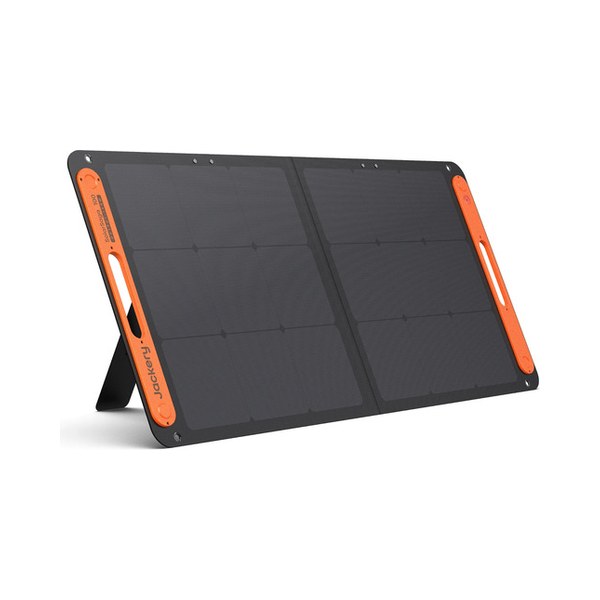
The same reviewer prefers a separate solar panel that charges separate battery banks. A larger panel collects far more light, and you can point it at the sun while the battery stays in the shade.
Here is the planning math with example numbers. A 100 W panel in four hours of strong sun makes at most 400 Wh. After losses, plan on about 75%, or 300 Wh. That is our rule of thumb, not a manufacturer figure. A phone battery holds roughly 15 Wh, which is an example, so 300 Wh could refill a phone about 20 times in theory. The difference from a built-in panel is huge.
mAh and Wh: how to compare
Power banks list capacity in mAh, and power stations list it in Wh. To compare them, multiply mAh by the battery voltage and divide by 1,000. Most power banks use cells near 3.7 V, so 20,000 mAh is about 74 Wh. Check your product's page for the exact voltage, because the number varies.
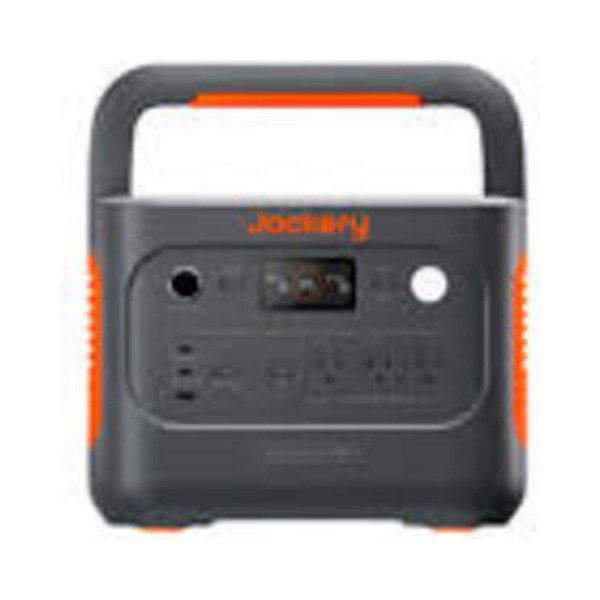
For example, the Jackery Explorer 300 v2 holds 288 Wh. That is about four times a 20,000 mAh power bank. It also has an AC outlet, so it runs a laptop charger.
How long a refill takes
Here is the same math for a power station. A 100 W panel gives about 300 Wh on a strong sun day by our rule of thumb, which uses four hours of sun and 75% efficiency. The Jackery Explorer 300 v2 holds 288 Wh. So an empty unit could refill in roughly one good sun day, if the panel works at that rate. Clouds, shade and a low sun angle stretch that, so plan for two days when the weather is mixed. These are planning numbers, not manufacturer figures.
What a solar charger can power
Match the charger to the job. Here are rough examples with made-up loads, so check your own labels.
| Device | Example draw | What it takes |
|---|---|---|
| Phone | About 15 Wh per full charge | A power bank, or a 100 W panel for a few hours |
| Laptop | About 60 W while running | A power station with an AC outlet or USB-C |
| Camp light | About 10 W | Any of the options below |
| Small fan | About 30 W | A power station |
The Jackery Explorer 300 v2 lists a 100 W USB-C port, so it can charge many laptops directly. Check your laptop's charger rating first. A power bank with only 18 W cannot do that job, which is one more reason the small built-in panel models suit phones only.
Solar panel and power station options
Here are the options from our product list.
| Product | Type | Key numbers | Weight |
|---|---|---|---|
| Jackery SolarSaga 100 Light | 100 W panel | Built-in cable, with Anderson-to-DC8020 and DC7909 adapters | 4.5 lb |
| Jackery SolarSaga 100W | 100 W panel | DC8020 connector, with a DC8020 to DC7909 adapter | 7.94 lb |
| Jackery Explorer 300 v2 | Power station | 288 Wh, 300 W | 8.16 lb |
| Bluetti Elite 30 V2 | Power station | 288 Wh, 600 W | 9.5 lb |
The panel specs come from Jackery blog articles, not product pages, so confidence is lower. The Bluetti page gives its weight in kilograms only, so we converted it. Check each panel's connector against the power station's solar input before you buy. Our solar panel connectors guide explains how.
Prices and availability change often, so check the retailer page before you decide.
Which solar charger for which trip?
- A day hike or a long weekend: charge a regular power bank at home, and carry it. The built-in panel is only a backup.
- A camping trip of several days: a 100 W panel and a 288 Wh power station. See our camping power station guide.
- A home outage: a larger setup. See our solar battery backup guide.
How to place the panel
Sun angle matters more than most people expect. Point the panel at the sun, and move it every couple of hours. Keep it out of shade, and check that nothing blocks it as the sun moves. Keep the battery in the shade, since the review notes that heat usually reduces charging effectiveness.
A built-in panel makes this harder. The panel and the battery share one case, so you either bake the battery or give up on the sun. A separate panel solves it, which is the main reason we point to that setup.
Mistakes to avoid
- Counting on the built-in panel. One hour of July sun gave 692 mAh in the review.
- Comparing mAh with Wh. Convert first, as shown above.
- Buying a panel with the wrong connector. Check the plug before you order.
- Leaving the pack in a hot car. The review notes that heat usually reduces charging effectiveness, so keep it cool.
- Ignoring weight. The SolarSaga 100 Light weighs 4.5 lb, while the 100W version weighs 7.94 lb.
What to check before you buy
- Capacity. Convert mAh to Wh so you can compare fairly.
- Panel size. A bigger panel collects more light.
- Output ports. Check USB-C power for your phone or laptop.
- Weather. Clouds cut output a lot, as the review shows.
- Durability. The review raised concerns about long-term durability for the one it tested.
The bottom line
A solar power bank is a convenient emergency backup, but its small panel charges slowly. For real solar charging, pair a separate panel with a power station or a larger battery. Charge any power bank at home before you leave, and treat the sun as a bonus.